
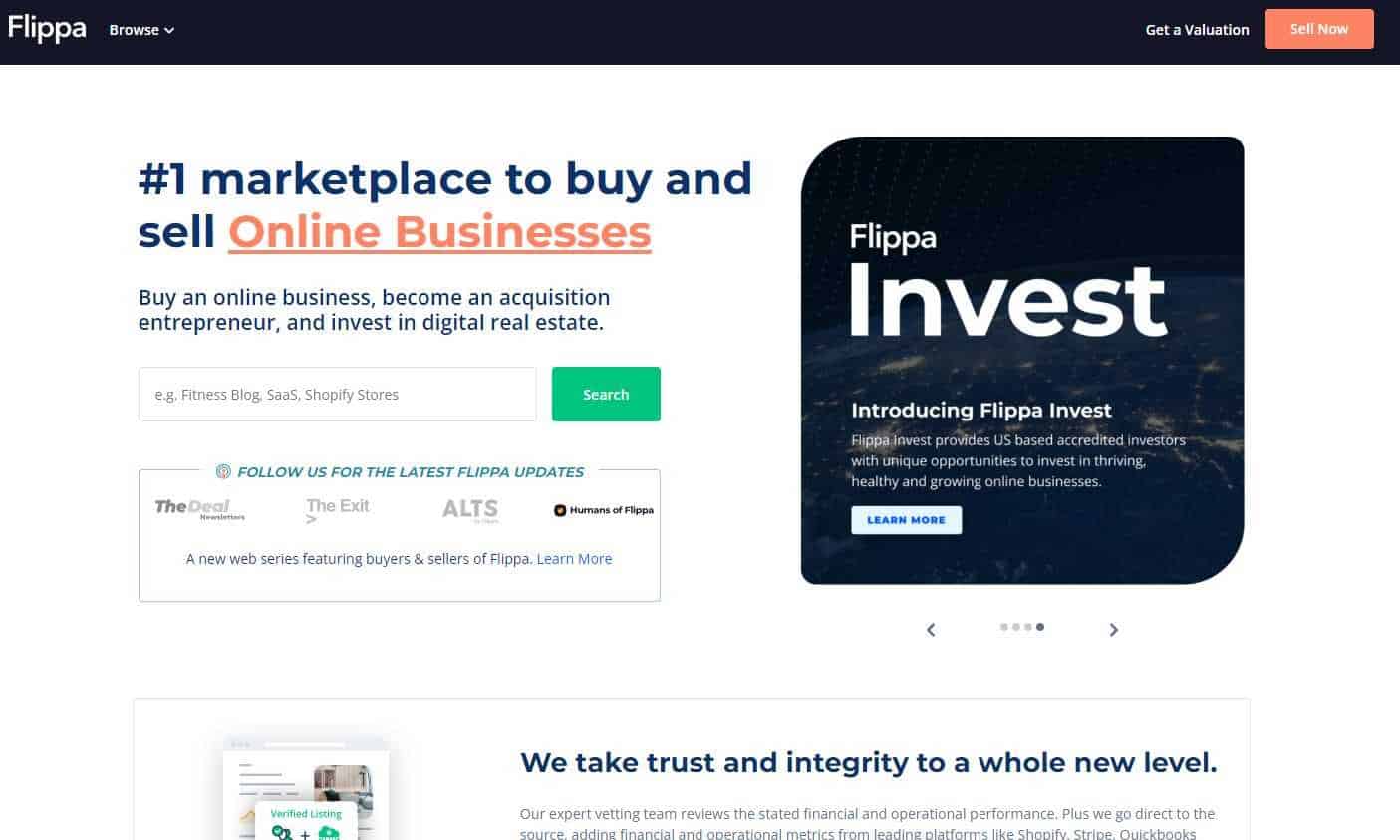
If you are planning to buy or sell a website, you probably already heard about Flippa. It is the largest online marketplace for websites. Most people who list a website for sale there, however, end up selling it for peanuts (e.g., $100), or not selling at all. If you’re ready to explore the world of buying and selling websites and gain some valuable tips, you’ve come to the right place. But to make a splash on Flippa, you need more than just a listing. You need the secrets that will boost your chances of selling your website and making a profit. Get ready to discover the top strategies that will make your website stand out on Flippa!
Why Effective Strategies Matter When Selling On Flippa
Flippa is where website owners and buyers connect to make deals happen. Whether you have a blog, an online store, or a content treasure trove, Flippa is the place to list it on. Imagine a bustling marketplace filled with countless listings. In this sea of options, your listing needs an edge. That’s where effective strategies come in. By using smart tactics, you’ll shine a spotlight on your website and attract buyers who see its true value. I’ll share the tips and tricks that will make your website a success. From showcasing your revenue potential to building trust, we’ve got all the insider knowledge you need to make your Flippa experience a true triumph!
How come? Most of the times the seller didn’t do his homework. If you want to maximize your chances of selling (and your profit), the 10 tips below will help you.
1. Make Sure Your Website Is Making Money
Revenue Potential: It’s not recommended to list a high-traffic yet unmonetized website on Flippa. While it may sell, the price could be significantly lower than its true value. Buyers typically look for websites that are already generating income, demonstrating proven revenue potential.
Optimal Revenue: For instance, if you have a website earning around $50 per month, it might not yield an optimal return. Focus on increasing traffic and revenues to at least $300 per month to enhance its appeal and market value. If the website mainly earns through Google AdSense and generates $300 per month, it could potentially sell for around $8,000 on Flippa. However, this figure is an estimate, and the actual selling price will depend on various factors like niche, growth potential, and market demand.
Revenue Proof: When selling on Flippa, buyers often consider the average revenue over the past four to six months as a reliable indicator of a website’s earning potential. Therefore, it’s crucial to have the necessary documentation and data to demonstrate the consistent revenue your website generates. Doing so can increase buyer confidence and maximize your chances of securing a higher selling price on Flippa.
2. Leverage Google Analytics (GA) Data
Google Analytics data is crucial when selling on Flippa as it offers tangible evidence of your website’s traffic and revenue potential, enhancing your transparency and credibility.
If you’re selling a blog, demonstrating consistent attraction of 10,000 monthly organic visitors over six months can appeal to buyers. In your listing, focus on key metrics like high average session duration or strong conversion rate to highlight efficient monetization.
Remember to install Google Analytics before your planned sale to accumulate substantial data. This enables you to display historical trends and growth patterns, offering a comprehensive view of your site’s potential. Google Analytics data is key to boosting your listing’s appeal and credibility on Flippa.
GA Term |
Description |
Importance When Selling on Flippa |
|---|---|---|
Monthly Organic Visitors |
The number of users who visit your website from unpaid search results |
Consistent organic traffic can demonstrate the effectiveness of your SEO efforts and the potential for sustained future growth. |
Average Session Duration |
Average length of a session, in time |
Higher average session duration can indicate strong user engagement, suggesting valuable content and a positive user experience. |
Conversion Rate |
The percentage of users who complete a desired action (e.g., making a purchase, signing up for a newsletter) |
A high conversion rate can demonstrate effective website monetization and the potential for revenue generation. |
Traffic Sources |
Where your users come from, such as direct visits, search engines, social networks, or referring sites |
Diverse traffic sources can show the reach of your website, and dependence on reliable, sustainable sources can indicate stability. |
This table should help to clarify the significance of these Google Analytics metrics when selling a website on Flippa. Understanding these terms can aid in presenting a compelling, data-backed listing to potential buyers.
3.Boost Your Trust Rating
Trust is crucial on Flippa – a high trust rating enhances your credibility and attracts potential buyers. Here are strategies to boost your trust rating:
- Link Your Social Media Accounts – Connecting your Flippa account with Facebook and LinkedIn boosts transparency, enabling buyers to verify your identity and explore your professional network. This portrays you as a reliable seller and positively influences buyers’ perception.
- Verify Your Phone Number – This step proves you’re a real person, adding credibility to your profile and indicating your seriousness about the sale.
- Maintain a Positive Reputation – Engage in ethical business practices, communicate effectively with potential buyers, and fulfill your promises. Positive feedback from previous transactions enhances your trust rating, giving prospective buyers more confidence.
Improving your trust rating is an ongoing process. By demonstrating transparent and honest transactions, you can establish yourself as a trustworthy seller and boost your chances of a successful sale on Flippa.
Trust Rating Factor |
Description |
Benefits |
|---|---|---|
Account Verification |
Verifying your identity and contact information |
|
Social Media Links |
Linking your Flippa account to Facebook, LinkedIn, etc. |
|
Positive Feedback |
Receiving positive reviews and ratings from past buyers |
|
Transaction History |
Demonstrating a track record of successful transactions |
|
Timely Communication |
Responding promptly to inquiries and comments |
|
4. Optimize Auction Length
When selling your website on Flippa, the duration of your auction plays a crucial role in attracting potential buyers and creating a sense of urgency. In this section, we will explore the optimal auction length and the drawbacks of longer auction periods.
The Power of Seven Days
Setting the auction length to seven days is widely considered optimal for maximizing visibility and generating buyer interest. This duration provides a balance between allowing enough time for potential buyers to discover your listing and creating a sense of urgency that compels them to take action.
By choosing a seven-day auction period, you ensure that your website receives exposure to a diverse range of potential buyers. Those who browse the marketplace during weekdays and weekends will have an opportunity to come across your listing, increasing the chances of attracting a larger pool of interested parties.
Disadvantages of Longer Auction Periods
While it may be tempting to extend your auction period beyond seven days, there are several disadvantages to consider:
- Diminished Urgency: Longer auction periods can dilute the sense of urgency among potential buyers. When given an extended timeframe, buyers may feel less compelled to act immediately, leading to delayed or lower bidding activity.
- Decreased Buyer Engagement: As time goes on, buyer engagement tends to decline. Potential buyers who initially showed interest may lose enthusiasm or get distracted by other listings. This can result in fewer bids and reduced competition among buyers, ultimately impacting the final selling price.
- Loss of Momentum: Longer auctions risk losing momentum over time. Initial excitement and interest may wane as the auction progresses, making it more challenging to sustain buyer attention and generate competitive bidding.
By opting for a seven-day auction length, you strike a balance between providing ample exposure to potential buyers and instilling a sense of urgency that motivates them to act promptly.
Auction Length |
Pros & Cons |
|---|---|
7 days |
Optimal length for maximizing visibility and creating a sense of urgency |
14 days |
Longer duration that allows for more potential bidders to come across the auction |
30 days |
Extended timeframe, but may lead to decreased buyer engagement |
5. Strategically Set Reserve and Minimum Bid
In your Flippa auction, intelligently determining the reserve price and minimum bid can greatly impact the final sale.
Stir Interest with a Low Reserve Price
By opting for a lower reserve price, you create a sense of urgency among bidders. The moment your reserve price is met, Flippa notifies users, encouraging them to bid more.
Consider this: You list your e-commerce site with a $5,000 reserve price. Seeing low bidding activity, you drop the reserve to $3,000. The prominent “Bidding open and reserve has been met!” message then drives more buyers to bid, promoting competition and pushing up the final selling price.
Filter Out Casual Bidders with a Higher Minimum Bid
A higher minimum bid, on the other hand, acts as a filter for non-serious buyers and maintains the auction’s integrity. It discourages low offers and impulsive bidding, thus attracting buyers who are truly interested and ready to commit.
For instance, let’s say you’re selling a content website with a $2,000 reserve price. To appeal to dedicated buyers, you set a minimum bid of $500. This wards off casual bidders while attracting those who value your website and are ready to participate in the auction competitively.
In conclusion, strategically setting the reserve price and minimum bid boosts your chances of a successful and profitable sale on Flippa. The low reserve price encourages bidding, and a higher minimum bid keeps non-serious bidders at bay, fostering healthy competition.
6. Determine a Reasonable Buy It Now (BIN) Price
On Flippa, setting an appropriate Buy It Now (BIN) price is key for drawing buyers and enabling a seamless transaction.
Tap into Industry Insights
Before deciding a BIN price, it’s worth seeking advice from experienced peers or industry experts. They can offer fresh viewpoints and help you assess your website’s market value.
Look for people familiar with your website’s industry or niche. Share specifics about your site’s performance, traffic, and income. Ask for their views on a fair BIN price. This external perspective can be essential to aligning your price with market expectations.
For example, suppose you have a niche blog with regular traffic and a devoted reader base. You want the BIN price to reflect your site’s content, brand, and future growth potential. By consulting with fellow bloggers and industry professionals, and sharing relevant data, you can gain insights and arrive at a BIN price that suits your niche’s market conditions.
Avoid Overpricing
Overambitious BIN prices can deter buyers and impede the sales process. Buyers do their homework before buying, and an inflated BIN price can lead them to question your listing’s credibility.
A BIN price significantly above the market value might signal that you’re out of touch with market trends, discouraging serious buyers and resulting in lackluster interest or bidding activity.
Suppose you run an e-commerce site selling handmade crafts, and you believe it’s worth $50,000. However, market research and peer feedback suggest a more realistic value of $20,000. If you insist on a $50,000 BIN price, knowledgeable buyers might see your listing as overpriced or question your market understanding, leading to less interest and fewer bids.
By setting a fair BIN price in line with market trends and realistic evaluations, you attract serious buyers ready to make competitive offers. A reasonable BIN price is vital for generating buyer interest and ensuring a smooth sales process on Flippa.
7. Avoid Hyped Descriptions
When selling your website on Flippa, maintain credibility. Avoid exaggerations and unrealistic claims. Here’s how:
Resist Hype
Over-hyped descriptions can raise doubts. Don’t use phrases like “Huge potential!”, or “A lifetime opportunity!”. Stick to the facts and tangible benefits of your website.
If your website earns $10 per month, don’t inflate it as a potential $4,000/month goldmine. Be transparent and realistic about earnings and growth.
Stay Real
Don’t speculate on future earnings. Unsupported claims harm your credibility. Focus on verifiable data – your website’s current revenue, traffic, and user engagement.
Share real performance metrics instead of speculative forecasts. Details about revenue sources, target audience, and growth strategies provide reliable data for potential buyers.
By skipping hype and unrealistic claims, you build trust. Focus on actual performance and benefits. This will attract serious buyers who value transparency and facts.
8. Engage with Commenters
Here’s a secret to boost your auction’s standing and trust on Flippa: engage with commenters! Potential buyers want to know you’re active, attentive, and transparent.
Speedy Replies Go a Long Way
Potential buyers are bound to have questions, despite your detailed description. Show them you’re on the ball – reply promptly to every comment and inquiry. It’s not just about answering quickly; it’s about offering additional details that prove you’re trustworthy and encourages them to bid.
Take, for example, a query about traffic sources or monetization strategies for your website. Don’t just reply – seize the moment to give an in-depth answer that shines a light on your marketing tactics, traffic generation, and diverse revenue streams. This kind of engagement builds buyer confidence and puts your expertise on display.
Keep Comments Visible
Transparency is everything. Resist the urge to delete comments unless it’s necessary. It can appear suspicious and potential buyers might think you’re hiding something. Keep your comment section open and honest.
If someone’s asking for more information about your site’s performance or revenue, don’t just delete their comment – address it directly and truthfully. It’s an opportunity to dispel any doubts and flaunt your transparency and professionalism.
Remember, engaging with commenters, responding quickly, and keeping an honest comment section is a triple-threat strategy. It enhances your credibility, convinces more people to participate in your auction, and positions you as a reliable seller.
9. Have A Plausible Reason for Selling
While listing your website for sale on Flippa, it’s vital to offer a legitimate reason for selling within your auction description. Stating a believable reason for selling your website can foster trust among potential buyers. It displays your transparency and assures buyers there aren’t undisclosed issues with the website. By doing so, you encourage an open and secure environment for serious auction consideration.
For instance, if you’re selling a well-established blog, you might mention in your auction description that you’re selling to concentrate on different business ventures or personal obligations. This valid reason assures buyers that your choice to sell is strategic, not due to unresolved issues with the website.
Refrain from raising doubts with an unclear selling reason.
10. Invite Qualified Buyers
To attract more bids and engage serious buyers for your Flippa auction, consider directly inviting qualified individuals. Here’s how:
- Identify Similar Websites and Engaged Users – Browse through the Flippa marketplace for websites similar to yours, whether active or sold. Look for users who have a high trust rating and have shown interest in related auctions.
- Craft Personalized Messages – Send a direct message to these users, referring to their previous engagement and expressing why your auction may be of interest to them.
- Emphasize the Value – Clearly communicate the value of your website, highlighting its benefits, potential revenue streams, and growth prospects.
- Encourage Engagement – Invite potential buyers to ask questions and engage with your auction. Promptly respond to their inquiries to build trust and transparency.
- Maintain Professionalism- Maintain a professional and respectful tone when reaching out to potential buyers.
Real-world example:
Subject: Exclusive Invitation: Explore an Exciting Website Auction Opportunity
Hi [Buyer’s Name],
I noticed your active engagement and trust rating on similar Flippa auctions. I wanted to personally invite you to an exceptional opportunity. I’m auctioning a website that aligns perfectly with your interests.
This website offers [briefly describe the website’s niche/industry] and has a strong track record of [mention key performance indicators such as revenue, traffic, or user engagement]. It presents a unique chance for growth and profitability.
Explore the auction listing at [insert link to your Flippa auction]. Discover detailed information about the website’s features, revenue streams, and growth prospects. If you have any questions, feel free to reach out. I’m here to provide prompt responses.
Thank you for considering this opportunity. I look forward to your potential participation as the new owner of this exciting website.
Best regards,
[Your Name]Note: Customize the example to suit your situation and target buyer’s interests.
Pro Tip: Keep Your Auction On The Homepage
To get the most out of your Flippa auction and catch the eye of possible buyers, you might want to think about spotlighting your listing on the main page. Here’s why it could be a crucial strategy:
Choosing the “Prominent Listing on the Main Page” add-on gives your auction a top spot on the Flippa homepage. This area is typically the first stop for most buyers, so your listing gets substantial visibility, thereby enhancing the chances of receiving credible offers.
By putting your auction in the spotlight on the main page, you’re ensuring it grabs a broad spectrum of prospective buyers’ attention. This strategic positioning distinguishes your auction from others and increases the chances of it being noticed by serious investors hunting for worthwhile opportunities. If your auction drifts to the second page without getting credible offers in the initial period, it might be wise to think about opting for the main page feature again. This extra step can reignite intrigue and pull attention back towards your auction.
These are some great tips for selling your website! I especially like the tip about making sure your website is up to date with the latest trends.
Websites are nowadays a kind of investment for which you expect proper returns so this blog was great if you want to sell your website on flippa.
I’m always wary of a site that claims a large amount of AdSense monetization without a correspondingly large amount of traffic. For all I know the site owner could have gotten his friends to click on ads for a couple months before he puts it up for sale.
Perhaps I am not making enough money to have people interested in buying my site but I can say that right now I would not sell for a 100,000 because my website it’s my life.
Almost all the sites that sell on Flippa seem to be using wordpress. I’ve tried to learn it, but it seems confusing. I’ve always created simple sites using only html & css. I’ve had no problem gaining traffic and making profit thru adsense & other affiliates. But I don’t know if any of my sites would sel on Flippa, since I don’t have them on wordpress & don’t even use any kind of php etc.
Excellent tips – I am trying to develop my first .co domain and its a journey. I do have adsense and am using a theme at the moment. I dont make that much with adsense but am trying to spread the word of the .co domain.
These are some great tips and if i ever develop a site that gets good traffic – I will make sure to monetize that first before selling it!
I’m interested in knowing the views of buyers who put stress on adsense monetization. What do they think of a site which is monetized by other ad networks than adsense ? Do they give less value to such sites ?
I wonder why would I sell if ever my site if I am making huge amount from it? But I will try to re-consider this. I will try to visit Flippa and check how it works Thanks for this article anyway. Additional learning for newbie like me
I always browse through the SOLD section, the sold website are an excellent source of business ideas and what is in demand at the moment. It can also give me idea how much I could sell my own creations :).
Sometimes getting a lot of traffic seems to be an uphill battle but I seem to be doing pretty well lately. The only problem though is that I don’t get much comments. People comment on my facebook page instead. How can I avoid this? I would also like to make some online friends if ever any are up for the taking
Thanks Daniel for the great post. I will using this as a reference for my self and others.
I completely agree with you and if you have money and want to get rid of initial har work then Flippa os for u…
I didn’t know much about selling in Flippa. U have presented the tips in a clear cut way. I have few blogs making low income I am going to improve that and try to sell it. A quality informative post.
Also, you want to make sure that you highlight all of the features along with how hard it is to manage
Yes PR is also important but if your website is earning good money than this become totally irrelevant.
Yes many buyer want to have such websites which can make money without any effort after changing few things according to their expertise.
There are many experts seating over there and they really knows how to make money from the websites which is not making enough money but they have …
Every successful business need time and patience my friend.
Than Flippa is not for you
Certainly these are great tips. Buying and selling websites are new segment of earning money and many experienced people involved in this.
I agree, very big sites probably should go with a longer auction length.
It helps, but it is not determinant in my opinion.
Excellent and very specific tips.
Great post Daniel. All your tips are spot-on. Further to Point 4 – Set your auction length for 7 days: use this as a guide.
Excellent post. Quite informative. I think Google PR also plays some role in buying/selling blogs. Is it?
the most important things that i keep in mind,
whether the site/blog is making steady real money.
This is not only possible, but it is a wide practice.
Good point Steven.
Awesome.. Very awesome tips Daniel. I would like to highlight no 7 tip – Dont Hype Your Description. Definitely, this is a bad strategy most Flippa seller have done. Who want to belive someone let his/him website or blog 5 figure earning go just for penny? Lol.. Don’t do it! Ever..
Hey Daniel,
I just sold my first site on Flippa about 2 months ago and the most significant factor that seemed to keep the price from going higher was the amount of effort needed to keep the site going and making money. I had done all of the work on the site myself, but almost every potential buyer was not able to do the work and was interested in outsourcing, which of course means less profit and a lower bid as a result. So in addition to your tips in this post I would add that you should consider how you can make the maintenance of the site as hands free as possible to ease concerns of some potential buyers. For example, I could have put more effort into finding freelance writers ahead of time, which could have shown a more stable transition plan.
I see flipa prices are too expensive. Can somebody make a living building and selling websites on flipa.
Thanks for the tips Daniel, I’ve been thinking of selling one of my blogs. Not because I don’t have interest anymore but I’d like to use the sale as a starting point on larger projects.
I don’t see quality sites anymore on Flippa. 1 quality successful site out of 100..
Nice Post Daniel. Website flipping is another way of earning nice income. You just have to make sure that it gets a lot of traffic and making decent revenues as well. But I can’t imagine myself selling a successful website, maybe I’ll keep it and build another website to create several income streams. I’ll probably sell a website if I have like 10 websites and i can’t manage the other websites anymore.
There are several reasons. Maybe you need to the money to start another project. Maybe you have too many sites and need to get rid of some to have time to manage the others.
Hey daniel,
Great Tips.
i think, myblog just have priceless.