

Content is surely king, but if no one gets to see your content, it will just get lost on the immense sea of bits and bytes that we call the World Wide Web, right? Email is the most popular method for online communications, and it can contribute immensely to your promotional efforts.
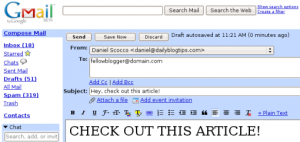
The concept: Once your blog becomes popular and with a loyal following, you will probably be able to focus on the content creation alone. Until you arrive on that level, however, merely publishing top notch content will not be enough.
You will need to actively promote it, and one very effective way to do so is to email bloggers and webmasters on your niche to let them know about your best articles. Should they like what you are sending them, there are good chances that they will link to it, sending both visitors and link juice to your website.
Does it work?: Yes, although the overall success of this technique will depend on several factors. First of all, the higher the quality of the content that you are emailing away, the higher the chances of receiving links.
Secondly, the pitch that you include on your email will play an important role. If you add too much unrelated information the person on the other side might just think that you are spamming him, and skip your email.
Finally, if you take the time to develop your network slowly over time, and with a genuine interest for building win-win relationships, this technique will work better.
How to get started: As stated before, you will need to work on the content first. There is no use in emailing people around if you just have some average quality articles to show them. Check out the post Use These 10 Tips to Write Your Most Popular Post Ever for more info on how to create killer content.
In parallel to the content development strategy you should start to network with bloggers and webmasters on your niche. Do some guest posts on their blogs, invite them to guest post on yours, link to their articles and so on.
Once you have both of those in place, it is a matter of publishing your killer article and emailing your contacts and friends to let them know about it. Don’t beg for a link on the email, this is plain annoying. Just mention that you think they will find it interesting. If they do, they will be glad to link spontaneously.
Over to the readers: Do you email bloggers and webmasters on your niche to let them know about your best content? Has this strategy worked well for you in the past?
Website Traffic Series
- Part 1: Web Design and CSS Galleries
- Part 2: Blog Carnivals
- Part 3: Leave Comments on Other Blogs
- Part 4: Faking A Website Sale
- Part 5: Pulling an April Fools Prank
- Part 6: Using Forum Signatures
- Part 7: Putting A Blog on Your Static Website
- Part 8: Adding a Forum to Your Site or Blog
- Part 9: Buying Targeted Traffic
- Part 10: Email Signatures
- Part 11: Put Your URL On Online Profiles
- Part 12: Email Bloggers to Showcase Your Best Content
- Part 13: Faking a Hacker Attack
- Part 14: Promoting Your Content on Social Bookmarking Sites
- Part 15: Promoting Posts That Link to You on Social Bookmarking Sites
- Part 16: Promoting Your Content on Social Networking Sites
- Part 17: Using Article Directories
- Part 18: Exchanging Links with Partner Sites
Good information and good way your blog post. Good luck blogger man.
I never have before, but Im planning on rethinking that a bit. I have a post scheduled for next Wednesday that I think might need some love.
I don’t noe if this wud really work because if it does then those who are at the problogger level must be getting hell lot of emails everyday and i dont think so if they really get time to read them all !…but if someone does read ur email and likes then sumthing might cum out of it.
Great tips, thanks, this comes up alot in my line of business. I’m not sure if a lot of bloggers are willing to put the time and effort into emailing other bloggers, but the payoff is worth it.
A really good practice!Great!Thanks
This is an excellent post . Thanks a lot .
Sending more content in e-mail will lead it as spam. You told here best tips for website traffic.There should be content development strategy for sending e-mail. @banglablogger idea is not so wrong, let us try it.
@Banglablogger, what idea is wrong?
@ Daniel Scocco, so the idea wrong. am i right?
@Banglablogger, then you just lost a potential source of links and traffic.
If they think that I am spamming, then?
Thanks for this entire series of articles about traffic! Very helpful for me as I’m in the beginning stage with my blog!
Since I lean towards community interaction via micro-blogging, I share my best content on platforms such as Plurk & Twitter where I have cultivated a niche community that I hope enjoys the content. Same concept as email just a different platform.
This is an excellent post . Thanks a lot . I am grateful to you .
@Bobby, unfortunately this is a time consuming process.
To tell the truth, I had thought that, this is an usual practice….but it was a surprise to see that many of you never tried this!
How do we go about getting the right “contact” information to help distribute our blog updates to the right personnel?
Any suggestion for a time-saving, best-practice methodology for that?
Great idea something i have not come across before, i shall give it a try in the future.
@Joe, most large blogs have a “Contact” or “Tip us” page, so they are expecting it.
I am not much of email person so I can’t bring myself to send such emails.
This is a great idea. Too many times these people just overlook it but if you really want a successful blog you will do anything to get traffic coming to your web site.
I never have before, but I’m planning on rethinking that a bit. I have a post scheduled for next Wednesday that I think might need some love.
One time I e-mail all users that have posted on my blog advising a new website that I create.
I just hope nobody interprets this as an invitation to spam the best blogs. There are many postings of bloggers angst where they get lazy emails that ask for help without any kind of reciprocation.
@Todd, most people have a contact information on their website.
Sounds great! Now send me some email addresses of people to pass an article to. Start with your email address, please!
Great tips, I’d say this is one of the most important methods for getting links to your blog.