
On the first part of this series we talked about how you can generate traffic to your website by getting it featured on Web Design and CSS galleries. On the second part we talked about Blog Carnivals. Today we will cover another basic yet effective strategy: leaving comments on other blogs.
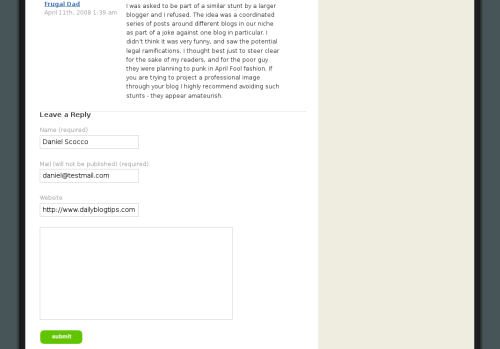
The concept: Blogs are conversations. Most of them, in fact, allow any user to post a comment at the end of every article. Usually you just need to write down your name and email (kept private) and publish your comment.
Most blogging platforms also allow you to insert your website URL, which will then be used to hyperlink your name to your website.
Should people get curious, angry, excited or feel any other emotion while reading your comment, there is a good chance that they will click on the name to see what kind of website you have on the other side. If the blog where you left a comment is a popular one, you could end up receiving hundreds of visitors from a single comment.
Does it work?: Yes, but mainly when your blog is new. You will still receive traffic from blog comments even if your blog is one or two years old, but by that time I expect that your average daily traffic will be too large to be able to notice the blog comments incoming visitors.
There are also some guidelines that you should follow. First of all do not spam as many blogs as possible with as many comments as possible. People will recognize a self-promotional comment miles away, and usually they will just delete it (apart from the fact that it is pretty lame to leave comments just for the sake of traffic).
So first of all make sure that you are adding value to the conversation with your comment. That should be something easy and natural if you comment on blogs that are related to your niche. You should have endless things to talk about the topics you like after all, right?
Secondly, there are certain types of comments that will attract more attention: the first comment, funny comments, thought provoking comments and controversial comments are just a few examples.
Finally, pay attention to the size of the blog where you will be engaging in the conversation, and on how active the community over there is.
How to get started: Just create a selection of blogs that are relevant to your niche and engage on the discussion there. Ideally you should subscribe to their RSS feed so that you can keep updated and follow up with comments as soon as an interesting post is published.
If you don’t know many blogs on your niche just head to Google and start searching, it shouldn’t be difficult to find heaps of them.
Over to the readers: Have you used the strategy of leaving comments on other blogs to generate traffic? How did it work?
Website Traffic Series
- Part 1: Web Design and CSS Galleries
- Part 2: Blog Carnivals
- Part 3: Leave Comments on Other Blogs
- Part 4: Faking A Website Sale
- Part 5: Pulling an April Fools Prank
- Part 6: Using Forum Signatures
- Part 7: Putting A Blog on Your Static Website
- Part 8: Adding a Forum to Your Site or Blog
- Part 9: Buying Targeted Traffic
- Part 10: Email Signatures
- Part 11: Put Your URL On Online Profiles
- Part 12: Email Bloggers to Showcase Your Best Content
- Part 13: Faking a Hacker Attack
- Part 14: Promoting Your Content on Social Bookmarking Sites
- Part 15: Promoting Posts That Link to You on Social Bookmarking Sites
- Part 16: Promoting Your Content on Social Networking Sites
- Part 17: Using Article Directories
- Part 18: Exchanging Links with Partner Sites
great tip but what is the meaning of nofollow
I totally agree with you, this method works. I’ve had few blogs in the past, and I have personally tested this method. I have received many, many and many visitors from this method. You could also use signature links on some forums to promote your site, like I did. Some blogs also use Top Commentators plugin on wordpress, so you could leave some comments on the blog and become the most commented person. You’ll get quality backlinks if the blog is pretty huge, has traffic and nice PR. 😉
lol .. i am doing it now
thanks for information
I consider leaving comments (not spam!) in other blogs very important specially when you are new to blogging.
If a reader likes your comment, or considers it at least funny, sure he’ll click on your name and will check your blog. At least, I do it this way…
That’s indeed a valid point. I rarely post a comment even though I love the content. Not that I am rude but I just love reading. This article is really an eye opener. 🙂
Thanks for the tips.
Thank you Daniel. You even clarify in this string of comments, number 16, that people shouldn’t leave comments for the sake of generating traffic.
I was just playing around, trying to see if a humorous (Ok, subjective, I know, and clearly not funny I guess) comment would generate any curiosity.
Then since this is a daily blog, I figured it wouldn’t take long before this post aged out. So I wanted to report back like I indicated I would. And I attempted a slightly edgier, controversial position, like you advise in your article.
I was just playing around, trying to learn the ropes. Get in a little practice. I hope I did not offend.
For what it’s worth, I’m really pleased that you responded to me. Thanks again.
That’s primarily how I market my blog, this way I engage in a conversation with other bloggers and at the same time let them know where I blog.
I can’t say that I’ve had enormous success with it (I think it has something to do with the fact that this is basically the ONLY way I market my blog) but it has helped me move along a lot quicker than I thought.
Ava, you leave on comment on a blog, track it for 2 days, and since it did not send you any traffic you arrive to the conclusion that leaving comments on blogs does not generate traffic, period?
Well, you need to review your analysis strategy a bit :).
I left a comment on April 11th to see if it would generate any traffic. It did not. Not even one.
You do mention not any old comment will suffice, that comment rank is important as well as comment quality. I think given both of those criteria, recommending comments as a traffic building tool, is a bit off the mark.
I would agree with some of the others, that indeed leave comments. But do it because it’s a nice “tip of the hat” to the blog, not in the hopes of generating traffic to your blog.
@sir jorge
I admire your dedication. Surely that time could have spent a little more producively though?
thanks for the article… i’ll have to make a point to comment more often in the future. i think it’s just good to give feedback to acknowledge that you’ve visited the site.
There is another benefit to leaving comments within your niche that I haven’t read here yet: meeting and developing community with the other bloggers themselves.
I recently attended a conference within my niche (future-thinking church-related culture watchers…how’s that for a niche?) and ended up meeting several bloggers whose names I knew well from reading their sites and leaving comments. And each blogger I met at the conference seemed to know several other people who blogged or read blogs or wrote for a living, so a network developed.
All this developed from initial comments left on like-minded blogs. Definitely worth a shot.
By the way, “deep linking” directly to an individual post on your blog (rather than the home page) is a nice way to direct visitors to an article that’s specifically related to the topic on which you’re commenting.
“Deep Linking” is an excellent way to shine a little new light on an older post that never quite seemed to get its due share of exposure. Y’know sometimes the blog entries that you’re most proud of are the ones that can seem to go by largely unnoticed…
I’ve found this “strategy” to be helpful. It won’t net you dozens or hundreds of new subscribers in a few days but just remember that old adage, “Slow & steady wins the race.”
Commenting on other’s blogs is just part of being a good “netizen.” Sure, writing should be sufficient reward in itself, but every blogger needs a little validation from time to time. Your stats will tell you if people are VISITING your site but comments tell you if people are READING and CONNECTING with your posts.
I try to leave a comment any time I pop over to a site from my RSS reader. The main reason is so there’s a “point” to my blog reading besides just enrichment or entertainment.
In other words, if I’m going to use my precious time reading blogs, I should make the most of it and leave a link wherever I read. It at least makes my time well-spent (along with getting good information from where I’m reading).
Secondly, I like to leave comments simply because I like to receive them. Treat others as you would like to be treated. Even if I don’t get any clicks because of my comment, at least I made someone’s day by adding to their conversation.
I agree this is a great way to get traffic for new blogs. I don’t have time now, but when things weren’t as hectic, I would make a point to go out and comment on at least 30 blogs a night. Too much work right now but what started out as an experiment ended up showing me that this strategy works. LOL, I’m not doing it now on your blog…I get your newsletter and wanted to see what the others had to say. ;o)
Wow, Great Article, I am starting to make comments on others blog.
I am starting from this comment.
I have learned something new today and that recieved comments are also as precious as the content of a blog and it happend cause i have started reading dailyblogtips.
Thanks
it is easy traffic
if folks arent doint it
they are losing easy traffic
Controversial comments increase traffic? Let’s see if this is true.
You’re mother wears combat boots! Oh wait, that’s just abusive.
Let me try again:
Global warming is nonsense! I’m sitting here freezing eating Fart Casserole in April for God’s sake. I could use a little global warming in my neighborhood! Al Gore give up on the global warning and keep promoting your Internet – you may be on to something with that idea.
I’ll report back, that is if my increased bandwidth doesn’t crash my site!
If I stopped commenting on blogc relevant to my niche my visitors would probably drop by 50%.
Whether you get traffic or not, commenting on other blogs and following the discussions, in itself, is an amusing thing to do. Even though I am not active in any other social networking site, commenting on blogs never turns me off and engages me for a pretty long time, all the while sustaining my interest. I guess, people have their own way of interacting socially, prefering one over the other.
Destination Infinity.
Interesting concept of interesting back links, traffic and your brand. This is a good idea to network with others in your field.
I think that leaving comments can be a great strategy for getting a blog off the ground…as long as it’s part of an overall philosophy of *generosity*.
I’ve found that if your purpose in writing and reading blogs is to be generous and to give back as much as you get, you won’t have any trouble growing traffic. As you say, people can spot a self-focused blogger a mile away. If you’re leaving comments that express a genuine interest in others’ sites, take care to blogroll people whose writing you really enjoy, link to other interesting content in your posts, etc. people will be attracted to your blog.
In many ways, the same rules apply in the blog world to the real world: if you were in a room with a bunch of people and wanted folks to hear what you had to say, it would be far more effective to go shake people’s hands and engage in conversations rather than stand in a corner and talk to yourself. 🙂
Great topic, thanks!
I agree with you that is the strategy when i got started my blog and I want to make other bloggers to know mine, I always spend comments a few days a days. The result, i got comments from other blog I visited.
That is the great way to promote blog.
Bloguitar, I don’t like it because I think it reduces the quality of the comments.
I think you should add that there are some blogs with a “top commentators” plugin (with do-follow links) which is another great motivation to comment 😀
(Sorry for my bad English, I’m Spanish)
I believe that comment for traffic could be useful for new blogs. But I have a small problem: I want to join only if I have something to say. I donot want to comment ONLY to get some visitors.
And I prefer phorums and discusions because there is longer and more consistent converstation and it is more simple to follow several phorums then tens or hundreds of blogcomments.
Not only does it generate traffic, it can also provide backlinks if the blogs don’t add the nofollow tag. :]
I agree. Commenting on other blogs increases visibility and generates traffic.
Daniel
I totally forgot the world when i was reading your all the 3 parts of bring web traffic. Useful one.
Initally when i started my blog i commented just for the traffic. But for the past 6 months, i spend my time very preciously for writing genuine content and to give my readers the best. So, when ever i give the comments, i will be totally cautious of the full understanding of the conversation.
Thanks
karthik
I’ve been working on that. It hasn’t really worked, but I only just started using this strategy.
The hardest part for me is finding a blog post that I can find a comment for. I’ve never been much for smalltalk – in fact, I started a blog and other things to help break this writer’s/speaker’s block I have.
I’ve been browsing blogs on blogger and have only found a few posts that I could think to comment. That’s mostly due to the fact that most of the blogs I encountered were written in a foriegn language.
But hey, I’ll keep trying and see what happens.
Commenting on other blogs may bring some traffic but it may not be the only way to do so.
Wish I could figure out a better way to drive traffic to my site. Social networking works some but it too takes time to partcipate.
Just have to keep working on original content
Good article though
@ Alex – Commenting itself may not get you traffic. Brand, image, reputation, credibility, interest, entertainment, referrals, word of mouth… all those are achievable via commenting – and THAT gets you traffic. Tried and true.
@ Daniel – See? See what I mean? 😉
@Yassir, I don’t encourage people to comment on other blogs just for the sake of getting traffic. It should be clear if you read my post. But you can’t deny that some traffic will come if you engage in the conversation on blogs related to your niche. Beginners might not know it though, so that is the point of the post.
@James, no kidding I see you everywhere :).
Considering I’ve been called the “Comment King” in the circles I run in, and that I’ve heard, “Cripes, James, every blog I go to, I see your name,” more often than I can count, I’d say that, yes, commenting is an effective strategy. 🙂
I believe that leaving comments on other blogs can get you some traffic, but nothing impressive (except on a few ocassions). This technique works best for creating awareness and getting in touch with fellow bloggers in the same niche, which in the long run can provide backlinks, pings and trackbacks, resulting in a authority increase.
I don’t agree with bloggers who keep promoting comments as a way to generate traffic.
The traffic generated from commenting on other blogs should not be considered as a marketing strategy by any means.
Original content please, write about something people need to know be creative. your blog or website will make it.
I agree with kellex and sir jorge.
Sometimes there are these comments at my blog with the intention to generate traffic.
As I personally know people who comment at the blog, I asked them if they have visited any blogs by comments.
The answer was NO.
But the subject is football, and no-one likes read about footbal, only to write. That could be a good reason for that tatic doesn’t work well.
Great advice, which is why I am posting, maybe I can steel some traffic from your blog. Humm, I need to think of something thought provoking. hummmm…… I got nothing 🙁
Sir Jorge, good point, in fact I just updated the post.
I agree that this strategy is mostly effective for blogs that are new. After a certain while the number of visitors coming from blog comments will be to small to matter.
Thanks for this information. As someone new to blogging you have very good information for those of us new to the fold.
this only works for a short time, it doesn’t work long term at all.
I spent months dropping 300+ comments a day. I subscribed to 2500 rss feeds, and counted 300 good comments a day to various sites.
I saw no dramatic long term increase.
I get some traffic once in awhile from comments on your blog Daniel =)
Great post btw, commenting is also cool because you engage the person whose blog it is. If your content is similar and the two of you have similar interests, it can even sometimes spark a relationship.
I remember one time when I received 500 visitors from a first comment that I left on a TechCrunch post :).
Needless to say I never managed to repeat that success hehe.
For blogger just starting out I think this is the best strategy for increasing traffic. Most importantly it allows you to start the networking with other bloggers with the bonus of leaving a link for others to follow if they so choose.
I believe Yaro calls this tactic a traffic stream that if done consistently can lead to a traffic river. Perfect example of that idea in my niche – I left a comment on Gilbert Arenas’ blog with a link to my blog and an NBA.com writer followed it back and saw a post I did and wrote a related story and linked to us. That link provided the post with over 5,000 pageviews in 3 days. More importantly now an NBA.com writer is reading our blog who can provide us with more traffic surges if he links again.
Yes, I have employed this tactic and it works marginally. I think the best benefit to commenting on other blogs is the act of being active in the blogging community. I think that action makes you a better blogger in the long run.
Well since this topic based on comments shouldn’t I comment? Actually this is my favorite part of the series. It really is amazing the spam that people will throw up on a comment just because they’ve read articles saying “comment! comment! comment! to gain traffic!”
Thanks for the info as always!
Leaving comment on other blogs of our niche really helps us to bring more traffic and links to our blog
Being a motorcycle blogger, there are a lot of fellow bloggers out there ranging from scooters to professional racers that I comment on. I definitely noticed my traffic sources become more diverse and numerous after a couple weeks of commenting on other blogs.