
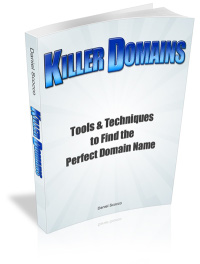
My first ebook is getting launched today. It is titled “Killer Domains: Tools & Techniques to Find the Perfect Domain Name.”
If you tried to find some good domain names lately you know how disappointing the experience can be. It feels like all the marketable domains are already gone. And the problem is that the success of your website starts with the domain name.
If you use a structured research process with efficient tools and techniques, however, I am sure that you will be able to find dozens of good domains that are still available, or to find registered domains for sale that will represent an excellent investment.
Here is the table of contents:
- Introduction
- The 7 Characteristics of Good Domain Names
- The Process of Researching Domain Names
- Keyword Research
- Prefixes and Suffixes
- Tools and Resources
- Registering and Managing Domain Names
The ebook has 55 pages, 30 of them for the content and 25 with the huge list of prefixes and suffixes (over 400). There is also a link included where you can download an Excel spreadsheet with the prefixes and suffixes to work with them more efficiently.
My experience with domain names
I started developing projects on the Internet more than three years ago, and on that time frame I needed to research and buy dozens of domain names. On the beginning I was not so sure about what I was doing, hence why some of my domains are not that good (DailyBlogTips.com, for instance, has 3 words and is quite long).
Over the time I learned some tricks and became familiar with the best tools around, so the quality of my domains improved as a consequence. Today I have a good portfolio of domains, probably worth over $20,000.
Some of the latest additions to that portfolio are TechCult.com, DailyBits.com and Freaked.com.
Money back guarantee
I am pretty sure that the ebook will be worth the $17 for the buyers. A good two-word domain name sells easily for $100, so even if you manage to find just one domain using the tools and techniques described you already recovered the money. If you end up finding a cool domain for your new website or blog, the ebook will probably be even more valuable to you.
That being said, if after reading and trying to use the described methods you arrive to the conclusion that this is not what you were looking for, just shoot me an email and I will refund your money.
Update: The eBook has been removed from the market because I will be using the information that it contained inside a larger project.
I think this book will be very good
Daniel ~ do you have affiliates for this product? *SmiLes* Suzanne
@Jeremy & GolfSpy
It’s a simple action in Photoshop, One click and you can create ebook Cover, Dvd Cover, CD Cover.
It’s called – Cover action Pro
Very interesting site..Thanks for the tips.
I love the game….good book…
Interesting facts.I have bookmarked this site. stephanazs
Congratulations, Daniel! I always like reading your site and wish you all the best with sales of this e-book!
Nice one daniel, I hope all the hard work pays you a tidy sum..
writing an ebook is a great idea. I could not find any teasers of it. I think those are imporant before too and should span in your website
Hi webmaster!
What about domains in other languages like Portuguese? Imagine http://www.managementlessons.com in portuguese: http://www.licoesdegestao.com. Both words had to be adapted and lost some pontuation. Is it a good ideia of a domain?
I really want to know how this books really can help me up for my business.
That is awesome launching your first ebook. I am working on my first report I will sell. I have created free ebooks and reports but nothing that I have charged for.
Every start is tough , one year ago when I ventured in the domain world I was having hard times finding a decent domain name. You just need to look out for tips.
The e-book is a great source of information, i am sure and good luck with it!
It’s really heard to find a good domain name.
I am searching for a good domain name since last 2 months. 🙁
Wish me luck.
I won this book and I am excited to get the copy. I have already send you an email 🙂
This sounds like something I should look into Daniel, as it sounds like it will be a great resource. I would love to do a review on Pixelheadonline.
Desire to buy yours. Wait a moment. But, any review price, please! 😀 just a joke it seem like DP’s people before buy an offer.
Hi Daniel,
I heard of this book from David Airey, and purchased now.
I’m struggling for a couple of domain names for myself and for my clients, Now I hope I can figure it out soon with the help of your book.
And also with quite a busy schedule I haven’t wrote any articles in my blog from past few days, Now after reading this book , I’m confident that I can post nice article about the ‘Killer Domains’.
Thank you for the book.
Finally, I managed to advertise your e-book through my page. Hope it brings me luck!
🙂
Great to finally see your ebook live! Congratulations..
I hired a designer to do it.
Where do you get the graphics to make the book cover for the E-Book?
You know you can pay with any credit card and you dont even need to have a paypal account though right?
Fern, sorry but right now only Paypal is available.
Well, that is too bad. I guess I can’t buy your book then. 🙁
Nice one daniel, I hope all the hard work pays you a tidy sum 🙂
Fern, sorry but right now only Paypal is available.
Is there a way to purchase the book without using PayPal? I am boycotting them because of their unethical business practices. I have a Google Checkout account…or I could go old school and send you a bank check?
Sssshhhh! Don’t let all the secrets out. It’s already hard enough to find domains with good commercial potential.
Seriously though, good luck with the ebook. I’ve always enjoyed visiting your site.
-Bill
AvailableDomainNames.com
Congratulations Daniel! I’ll buy it for sure (as soon as I can fund PayPal with some sales of mine. 🙂 (not to worry, just visit me if you are a fiction writer or journalist) … It is a puzzle, matter of names – names matter! Good luck, though I’m certain it will go out well – it is a killer title of a book!
Peter
Congrats on the launch of ebook Daniel. I might buy it soon.
Same comment I left on Problogger:
Rex, I would say so.
Especially if you are in the game to make money. Most effective monetization strategies work almost exclusively with people visiting your website.
Social traffic is hard to be monetized, and the same is true for RSS readers.
That is why having a good domain is essential.
I don’t have the data (will look around) but I think we all would be surprised to see the percentage of visitors that still just memorize domain names and type them around.
This might be an interesting topic of conversation: Nowadays, with rise of social bookmarking and rss readers and the like, is the domain name really such a high priority? (p.s. I posed this same question on ProBlogger. Interested to see what peeps think.)
@Siddharth, exactly. The problem is to find them.
Congrats on launch of your first ebook Daniel, way to go buddy. I think that a small and easy to remember domain is the key to success. If your shop has a hard address to get may be you can loose a bunch of customers, so a good and easy domain is sure the first step of online success.
@Jeremy, a designer that works with me did that.
@boostranks, I thought internet marketing folks liked 9’s :).
is it just me, or do internet marketing folks like 7’s?
$7
$17
$27
$37
$47
what’s the psychology behind it?
Hahaha… you should be reading Make Your Price Sell…:) It has a psychological impact to a person where he sees it to be a LOT cheaper than $18 or $19 or $20.
Hey Daniel, I’m going to have to get this. I better check paypal, but I had a quick question. How did you make your image for the ebook? Was it by hand, or photoshop action, or script? If you wouldn’t mind sharing, I think its great.
Congratulations, Daniel! I always like reading your site and wish you all the best with sales of this e-book!
Thanks for the nice words Steve!
Way to go, Daniel! I, too, have purchased the book and mentioned it on my law firm site/blog.
It looks great. Best wishes for much success with it. I know it will be huge.
Talking about coincidence
Tonight I am sitting together with my partner to decide on the name of our new website and we both had to come up with 50 names, after 5 minutes with your book I found another 6.
THANKS!!!
Richard
Glad it arrived Richard :).
you can delete my last remark, I had an issue with Outlook! Email just came in.
Looking forward to reading the book
Richard
Bought the book as well. Just sent you an email as I do not get to the page to download the book.
cheers
Richard
That was fast Buny! Let me know how you like it.
Moshin, there is 100% money back guarantee :).
Best of luck with it, Daniel, and thanks again for giving me a sneak preview.
I’ve published a blog post about your ebook, as I’m sure a few of my readers will find it of use.
Great! As a budding domainer, I’d love to read your ebook for some inside scoop on domaining.
Though, if you could provide a sample chapter to give us a feel of what’s inside, that’d be ultra cool.
Bought it! Daniel