

Feel overwhelmed by inbound marketing? Many small business owners and entrepreneurs know they need marketing but lack the proper skills, time, and money to execute a complete marketing campaign. After all, every investment you make and every minute spent must have a real ROI. I’m sure many of you have found tools that could make inbound marketing a cinch, but then you saw price tag and had a minor heart attack. Let’s face it– The majority of us small business owners are busy and inbound marketing takes a lot of time. As a small business owner, I was frustrated trying to find the right plugins to help me streamline my marketing efforts.
That was until I found Inbound Brew Pro.
Inbound Brew Pro is a WordPress marketing plugin that is a comprehensive and all-in-one tool for any marketer or small business owner that needs help with their inbound marketing. The premium WordPress plugin was released last month and did not disappoint!
It’s not easy staying up to date on SEO, lead generation, Google analytics, contact forms, custom emails, drip campaigns, CTA buttons, redirects, social media, lead management… The list goes on and on! I found it to be exhausting.
Inbound Brew Pro simplifies all of those steps for you, all in one easy-to-use plugin.
Inbound Brew Pro comes packed with a lot of features that both marketers and small and medium business owners will find useful if they are too small to have a dedicated marketing department or can’t afford the other expensive marketing tools out there.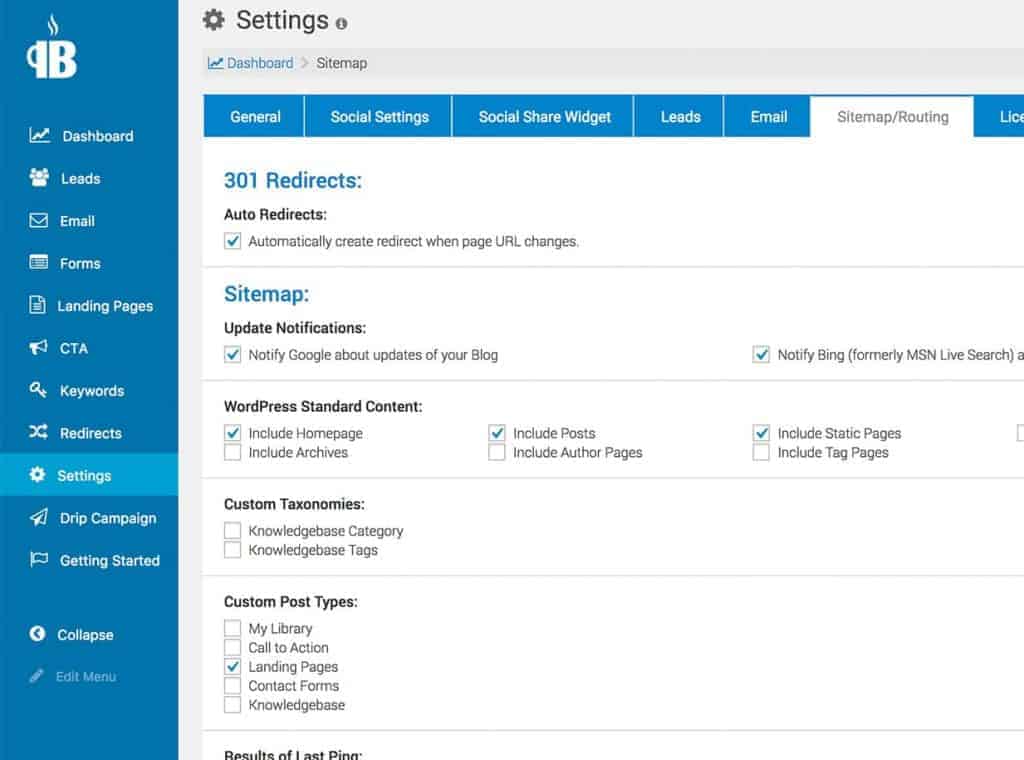
Here are a few of the Pro version features:
- Create custom “Call to Actions” to turn your users into leads.
- On-page SEO optimization lets you get the best value out of the keywords you are trying to rank for.
- Stay on top of Google updates with updated sitemaps, robot.txt files, and 301 and 302 errors.
- Connect with your social media accounts to create share buttons and posting schedules.
- Create custom landing pages and contact forms without any coding experience.
- Integrates with Google Analytics, providing you complete control over your stat tracking and easily accessible
Let’s be honest. The last thing I want to do is code when working on my website. Inbound Brew Pro solved that problem for me, providing me with several ways to customize my website without needing to worry about CSS, HTML, or JavaScript.
Another cool feature is the Google Analytics that you see directly from your WordPress dashboard, in addition to auto-post and analytics with their social media integration, prime call to actions button generators, ability to make custom forms, robust email drip campaigns, lead scoring, and a whole slew of other automated marketing tools– No code required. The best part is, the Pro plan costs $35.
Considering some companies pay entire marketing departments thousands of dollars a month to do this stuff, $35 a month seems very reasonable.
Bottom line:
Inbound Brew Pro simplifies your marketing efforts, saves you time, and generates leads.
If you are busy with the operations of your business, marketing can seem too time consuming. Still, it is one of the most important ways to advertise your business. Inbound Brew Pro is a fantastic and affordable plugin and marketing tool that will save you time and help you streamline your marketing efforts.