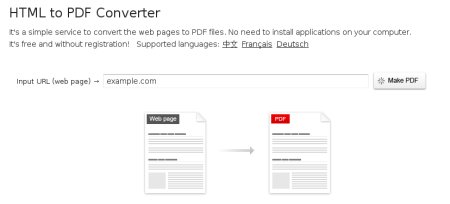
On some occasions you might want or need to convert a website or a specific web page into a PDF document. For example, if you came across a really interesting article that you want to save locally in your computer for future reference.

On some occasions you might want or need to convert a website or a specific web page into a PDF document. For example, if you came across a really interesting article that you want to save locally in your computer for future reference.
Sorry to say, but the Headline is missleading. The tool does not convert Websites but webpages to html. Very anoying to me to try this and fail.
PDF files are always easier to read locally than HTML
Wow!
The site looks unique and nice. But i don’t find any difficulty to create a PDF file without converting and HTML page.
that was some sort of good solution – there are some other good solutions available into the market but this sems to be the best so far.. .
yes i really works
thnx daniel
Hi there,
I use Firefox to browse the Internet and it offers some handy plugins that help me to create PDFs of website. Thanks anyway.
This looks like a handy tool. Good for saving web pages for offline viewing. Thanks for sharing this with us.
This a pretty nifty tool.I thought only documents can be converted to PDF. Now if the html codes can be converted into a PDF file, then it’s a good tool for saving up web content.
great tip! thanks!
I think this tool would be helpful for writers to help them submit work samples. You could create a PDF of your article and attach it to submissions!
On the Mac, go Print, save-as PDF and blam…..
“Limited resources/Server encounter some error. Please try again later”
This is the message I got.
nice thing, what about other types of content such as video, flash animations and others
This is awesome! I’d love to try it out. I am sure this will work well with the ebook I am working on. Thanks. 😉
Cool tip–thanks for passing it along!
Great Tool, I hope it work reverse also… I need to explore.
This a pretty nifty tool. 🙂 I thought only documents can be converted to PDF. Now if the html codes can be converted into a PDF file, then it’s a good tool for saving up web content. Thanks!
I’ve used the PDF Download plugin (
Cool, its a great tool considering I am always looking for ebook on the go.. 🙂
There’s been many like this around. Damn useful.
Haha. Buy a mac, it has save as PDF when you hit the print button. Easy as a pie. You can save any website, and create pdf’s from any type of document that can be printed. It wont get any easier than that. Furthermore you will not depend on someone else’s website and whim.
Thank you very much, Daniel Scocco.
I always searching for this method, Now I find.
Daniel, seems like you made service popular by writing here and now, they are giving a “Limited resources -Server Problem” Error!
They should be using good host! 😉
PDF files are always easier to read locally than HTML
Love this. PDF files are always easier to read locally
Hi there,
I use Firefox to browse the Internet and it offers some handy plugins that help me to create PDFs of website. Thanks anyway.
Cheers,
Eddie Gear
Great tip it works!
Are you coming out with a new Domain Registration Book, I went to recommend Killer Domains and it is being transformed?
Very nice tool. Thanks for sharing.
Ha, ha! I just found that site this week using Stumble Upon. Is it new?
Thanks,
Nate
@Mr I., yeah it works for almost any site.
Whole website can be saved as pdf? Nice tool! Will it work for blogs?(e.g. DBT 😉 )