

There are techniques that will send thousands of unique visitors to your website. Others will just send a hand full of them. Both types should be considered though, since when it comes to website traffic generation, every small bit helps.
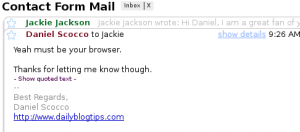
Email is just pervasive these days. Whether you are a banker, an attorney, a web designer or a logistics manager, I am sure that at least 10% of your day is spent sending and replying to emails.
If that is the case, why not take advantage of this pattern and promote your website along the way? By adding a small link pointing to your website on your email signature you will be able to generate some very targeted clicks. Not a bunch of them every day, but over the time they will add up.
Does it work?: Yes, although as we stated before, do not expect to crash your servers with the traffic that will come from the email signature links.
The overall amount of clicks that you will get will also depend on the number of email messages that you exchange daily and on the relevancy of your website to the people that is exchanging emails with you.
Apart from the clicks, though, adding a link to your website might also help you in other ways. Suppose you sell stereo systems, and you are exchanging emails with a client. Should he discover your super cool blog about stereo audio after clicking on your email signature, I am sure he will be more inclided to close the deal with you.
Over the past months I also received several emails from a wide range of people that wanted to congratulate me for the interesting blog that I had, mentioning that they had just subscribed to it also. Most of those discovered the blog via my email signature.
How to get started: The good part about this technique is that it is easy to setup. Most email clients will offer you the possibility to create a custom signature with a couple of clicks. On GMail, you just need to click on “Settings” and the signature box will be right there.
I do not recommend jamming your signature with many links though. Put one link there, perhaps with an enticing message, and the receiver might click on it. Put ten links there and you will just scare the person on the other end.
Over to the readers: Do you have a link to your website on your email signature? How effective do you think this technique is for generating traffic?
Website Traffic Series
- Part 1: Web Design and CSS Galleries
- Part 2: Blog Carnivals
- Part 3: Leave Comments on Other Blogs
- Part 4: Faking A Website Sale
- Part 5: Pulling an April Fools Prank
- Part 6: Using Forum Signatures
- Part 7: Putting A Blog on Your Static Website
- Part 8: Adding a Forum to Your Site or Blog
- Part 9: Buying Targeted Traffic
- Part 10: Email Signatures
- Part 11: Put Your URL On Online Profiles
- Part 12: Email Bloggers to Showcase Your Best Content
- Part 13: Faking a Hacker Attack
- Part 14: Promoting Your Content on Social Bookmarking Sites
- Part 15: Promoting Posts That Link to You on Social Bookmarking Sites
- Part 16: Promoting Your Content on Social Networking Sites
- Part 17: Using Article Directories
- Part 18: Exchanging Links with Partner Sites
I think it is a good idea. It certainly cant hurt. I also think it looks professional.
I agree that they work, but primarily at promoting your site to those who already know about it. Cant hurt though.
I didn’t think this was effective, however, just yesterday someone asked me about my blog…a little weirded out [since I barely knew them] I asked how they had heard about it. She told me from a FWD she got from a mutual friend. Just like the tortoise and the hare, I guess.
thanks for the tip m8
i surely try this one
Thanks for that – it’s a simple one but one I hadn’t really thought of before now.
Thanks for the article Daniel, interesting subject and not one i have ever focused on for gaining traffic.
Definitely works as a marketing tool. Especially when the recipient forwards your note to other people (potential visitors). I encourage people to have multiple signatures (casual, busine url, blog url, etc.), using the one most appropriate for the email they are sending. In some systems like AOL you can get fancy with the font colors or sizes, even add a logo image. Thanks for the post.
Don’t have one, but I’m going to add it right now!
I definitely have my website address in my signature. I also “borrowed” an idea from another Virtual Assistant, and put the line “What can Short-term Solutions do for you? Take a look at this list of our services.” under the address with a link to a pdf of my VA services. It’s really worked for me!
I get a lot of referrals from my email signature. It also acts as a bookmark for my friends who forgot the URL
yes it does work i’v tried it for while and i got about 130 visitors per month.
i think it even better if you use email heavily as you said
DO NOT do this on your company’s e-mail if it is a personal blog you are trying to promote (does that even need to be said?).
For me it depends actually what is on the e-mail its self. If you get the person to be interested in you, probably they would be interested to know where your from (on the internet) and to what you do. If you bore them to death, it may look to them as just another link in the World Wide Web.
I think it is a good idea. It certainly can’t hurt. I also think it looks professional.
Anyone know if you can create multiple signatures in Gmail? For instance if you use gmail to send from different mail accounts, can you use a different signature for each mail account?
@Jackie and Todd, I don’t think the majority of people you exchange emails with will necessarily be your subscribers already.
As a reader, I always click on the links in signatures-often times seeing someone’s website gives you further insight into who the person is and what they do. Even if you already know them, having the information right in an email makes it more likely that you will visit their site and even bookmark it for future reference.
I agree that they work, but primarily at promoting your site to those who already know about it. Can’t hurt though.
@Jackie Jackson
I agree most people that email you will either be readers or friends who have already subscribed. But what if you’re emailing people. They’ll get to see the link and hopefully go to it.
First of all, thx for including my mail ! But I’d like you to elaborate on one thing – don’t you think that most people who contact you through email will already be visitors?
Yep, slowily and steadily it adds up to the bottomline numbers.
A simple strategy but it definitely brings traffic. I get around 100 uniques a month through email – and I’m sure at least some of them have subscribed.
Yeah, that does work. I have a few odd referrer URLs in my WP stats and their from some mail service.
this has constantly worked for me. Like you said, it won’t crash your server. When people ask how they can support my blog, I often tell them to add me to their e-mail signature.